Agile We — How a UX Designer Made His First App
In this one cold January 2024 morning, my developer friend and I were excited to see our first app verified for release on the Play Store. Here is how an 11-year dream turned into a living product.
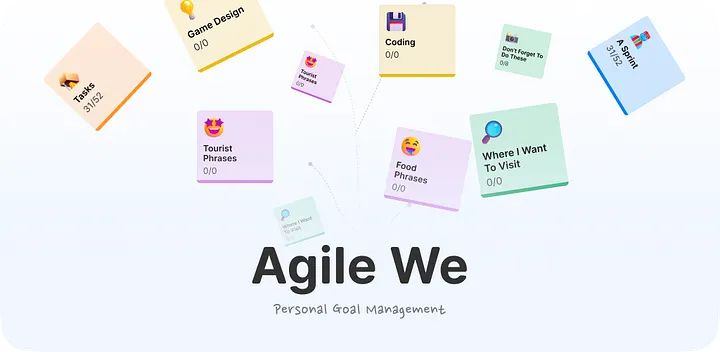
The Twist: Managing Goals, Not Just Tasks
In this one cold January 2024 morning, my developer friend and I was quite excited to see that our first app was verified to be released in the Playstore. There were millions of apps being uploaded, it might be too simple of a thing to care for most developers. But for me, this day was what I have dreamed of 11 years ago.
From the first days I put my hands on iPhone 3S and HTC myTouch4G (with Android 2.2), I followed smartphone apps with similar energy as the fandoms of K-pop stars. I went to internet cafes everyday just to read about what’s new with apps. I downloaded almost every new apps back then. It was my hobby. But only after I graduated from Med school (and a year of intern), I decided to stop dreaming and start making apps for real.
But as you know, the business of making app is rough these days. And it is quite absurd to dream about apps when I am based in a third-world country without a good startup ecosystem. Anyway, my story is not about that. I am here to share how my passion for apps leads to my very first app. Just want to share how fun and insightful of a journey it is. So here it goes.
What Makes Agile We Different
Simply put, this is another to-do list app. But with a twist.
Agile We is a to-do list system to help you figure out your goal rather than just to scratch-off the tasks for the sake of productivity. It is a delightful and lightweight tool for personal use, built directly on agile project management principles.
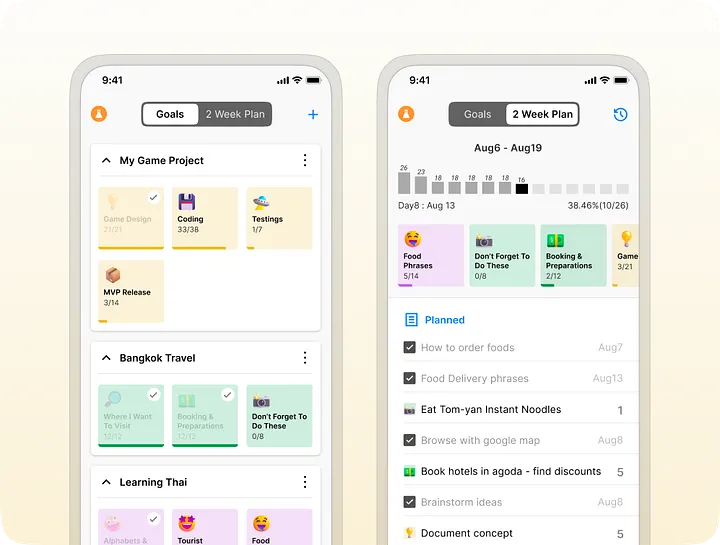
- Overview of where you are heading: All the goals and their progress are visible at a glance. This helps me understand the big picture and the direction towards my goals.
- Visualize how you do things: Why you are doing the current task, the effort you need for it, and how fast you finished your tasks in the past few days. It is much better to plan if you know your pace and nature.
Visualizing Velocity & Personal Collaboration
Overseeing the goals and doing mini-project management for personal use was what I originally intended. When we got the MVP, we found that it is useful for us to make alignments remotely. So we added a super simple collaborative feature. Even though we cannot use advanced functions like admin and users, this still gets the job done.
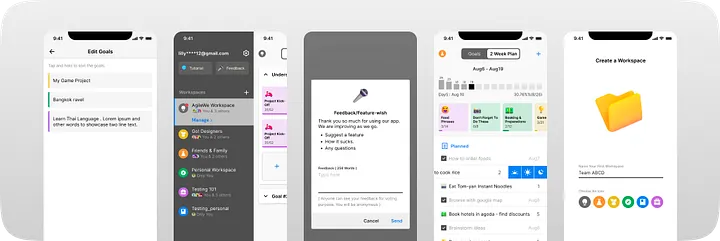
There are additional tiny playful things like giving feedback and showing them all in the app, hiding full Gmail name when searching, organizing tasks in a sprint into morning, afternoon, and night buckets, and finally very fun Microsoft Fluent Emojis.
The Whiteboard Method: Adapting Agile for Daily Life
The ideas started with my own problem. I was so obsessed with agile that I tried to apply agile principles to my day-to-day tasks. That is how the idea was born.
My problem is that I never really finish my own goals in the expected time. But things like school lessons and work-related projects got done. There can be a ton of reasons, but I found out my solution the hard way.
Tangible Milestones Over Imaginary Goals
My goals were scrambled and they were just in my mind. So they appeared, disappeared, and reappeared. I didn’t really know how close I was to the goal or if the goal was still my goal. Then, I made an extensive system in Notion and Airtable. It didn’t work. After a year, I finally found a solution — writing down all my goals on the whiteboard!
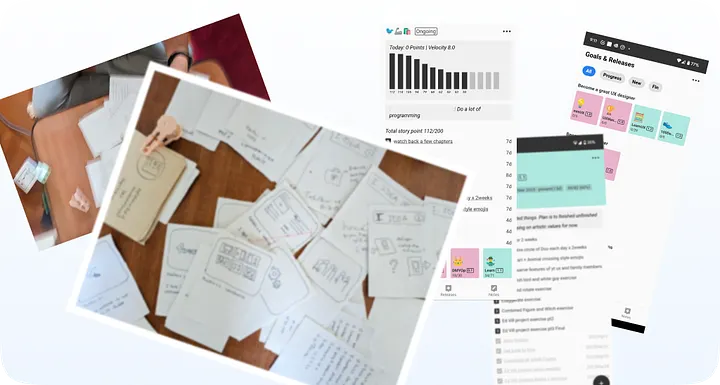
Another problem was that I only made goals but never visualized them in detail. If a goal is to happen, it has to be vividly planned down to every detail. Big and vague goals like “Make an app” will never work. One of the best ways is to break it down into milestones and try to finish step-by-step. For this, I used Post-it notes to write down my milestones and stuck them near the goal on the whiteboard.
Two-Week Themed Sprints
I focused on one goal, one milestone at a time. But I found that my personal stuff like helping my mom or relationship goals came in. Then I thought they are also like goals. So I included them in my whiteboard. But then I couldn’t just focus on one goal alone. I had to design for my app while helping my mom and planning for my next travel with friends.
That’s when the agile system came in. For two weeks, I would run a sprint. I set a theme for the weeks — like New Year Family Gathering. I picked up many tasks related to the theme but still included 3–4 tasks from other goals. In my last sprint, I focused on family time and my resolution, doing a lot of personal tasks while still doing a few tasks related to making apps and learning Chinese.
This way I can focus on different things for the short term like two weeks, but still track the progress of each goal on my whiteboard and Post-it notes. It is very satisfying to see the progress on each goal. Now my goals are no longer jumping around in my imaginary head. They are solid, clear, and tangible.
From Offline Tool to Public Product
When I found this worked for me, I turned this into an app because I couldn’t carry around my whiteboard all the time. I needed to access my system at all times. So we made a basic offline app. And it became my main tool to manage things. This app was like a proof-of-concept version of the app we finally released called Agile We.
Using that one I was able to navigate and finish all of these in just 3 months — 3 other personal apps, 2 websites, 90 days UI challenge, 30 days lifestyle challenge, a trip with friends, and about 5 video edits.
Talking about this with my friends and family, I realized they also had similar problems with their goals. So I got the idea to adapt this app for others. And that’s how Agile We — our first public app — was started.
The Reality of Releasing: Design, Logic & The Last Four Months
I have tried making apps before (with friends; I don’t know how to code). But those were all personal and portfolio apps that were not meant to be released. So it was fine with just design and code. In my 4 years of product design journey, I almost neglected the other business of making an app beyond design.
It only took about two months to do both design and coding before getting our hands on the app. We thought we were done. But we were so wrong. We had about 4 months of a bumpy ride doing several different things just to release the app.
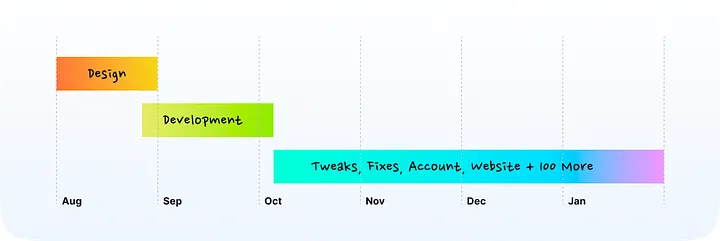
The First Two Months: Shared Product Understanding
It is my philosophy that both of us need to mutually understand the product concept end-to-end to get a good product. Most of the time, a UX designer finishes his work first and “gives” it to developers.
I have done thousands of designs in past years and collected a few design templates, so I started sketching directly with Mid-Fi or Hi-Fi prototypes.
Then I aligned with my friend to plot the user flow. This also included the technical architecture. One of my crazy ideas was not to have separate registration and log-in flows. I wanted to simplify it to just Google Sign-In. To do that we had to do a lot of checks in the back, but it turned out great.
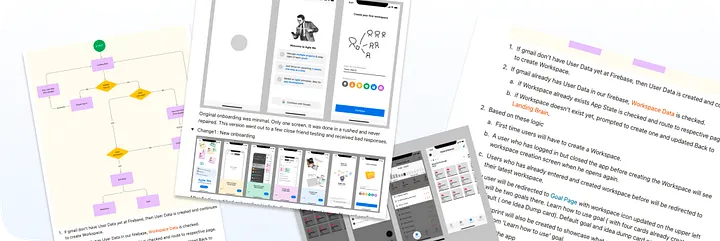
Normally, I design in task flows: the user is making an account, or the user is trying to make a payment. But here, I aligned with the flows that are in the development environment in our particular case — based on features and logic.
Finally, I created a small design system: the fonts, colors, and buttons were created identically inside the development environment, keeping us completely aligned.
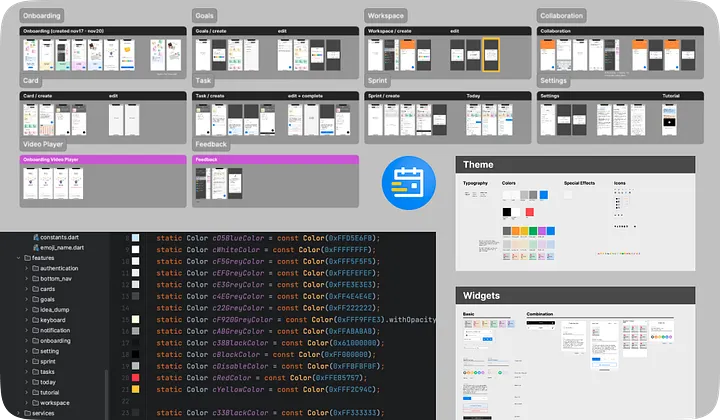
We did testing and issue tracking with PowerPoint. It might be surprising, but it was much better for us to navigate in slide form. Later, we used the app itself to track our issues.
The Last Four Months: Everything Beyond Code
- Usability testing without proper design is a bad idea: I was so happy when the app was done that I shared it with friends and family, only to get disappointing results. I had to go back and figure out how to simplify it.
- Problem with real-time changes: The app can share goals and to-dos with another person, but changes needed to happen in real time. It was a challenging engineering problem, but in the end it worked.
- We need to make tutorials: I was too focused on finishing the app that I totally forgot about good onboarding. Onboarding was done right, but I still needed tutorials on how the app is used. I spent weeks making videos for that.
- Setting up the Play Store account: This seemed straightforward until Google imposed a new policy right after we created the developer account: developers had to run 14 days of internal testing with 20 continuous users before public release. Finding 20 unique testers was an unexpected hurdle.
- Go-to-market plan: We had zero idea how to announce this to the internet. All we had were LinkedIn accounts—we are both introverted builders whose social media accounts were barely in existence.
- Bug-fixes and the itch to make random tweaks: As we spent time on these logistics, we came across small bugs and things we wanted to polish. Doing so meant designing and coding again, delaying release, so we had to learn what to fix and what to pass.
- The logo: This process took surprisingly longer than expected. We didn’t pay attention early on and used a placeholder picture as a test logo until right before release.
- Web App and iOS app: We used Flutter for cross-platform functionality. While we encountered roadblocks with the iOS app release, we successfully optimized the screen sizes for the Web App.
Ownership, Vision & Final Takeaways
This app might not be for everyone, but it has become a major part of my daily routine and has been very useful for figuring out my goals.
Users can no longer use this initial version. A new version aligned for strategic management is currently in active development, and you can test drive the interactive preview directly in our UI Sandbox.
The journey was nothing like I expected. The main takeaway for me was owning the product and setting the vision for it. I always thought those were corporate jargon I didn’t need to worry about in my full-time or freelance design work. But here, it became essential to keep the app true to what I dreamed, set a serious timeline, respect it, and restrain myself from getting sidetracked.
I worked together with my talented developer friend Min Min Chit, who shares his technical insights and learnings on LinkedIn. I am also sharing more breakdowns on my YouTube channel.
You might also like
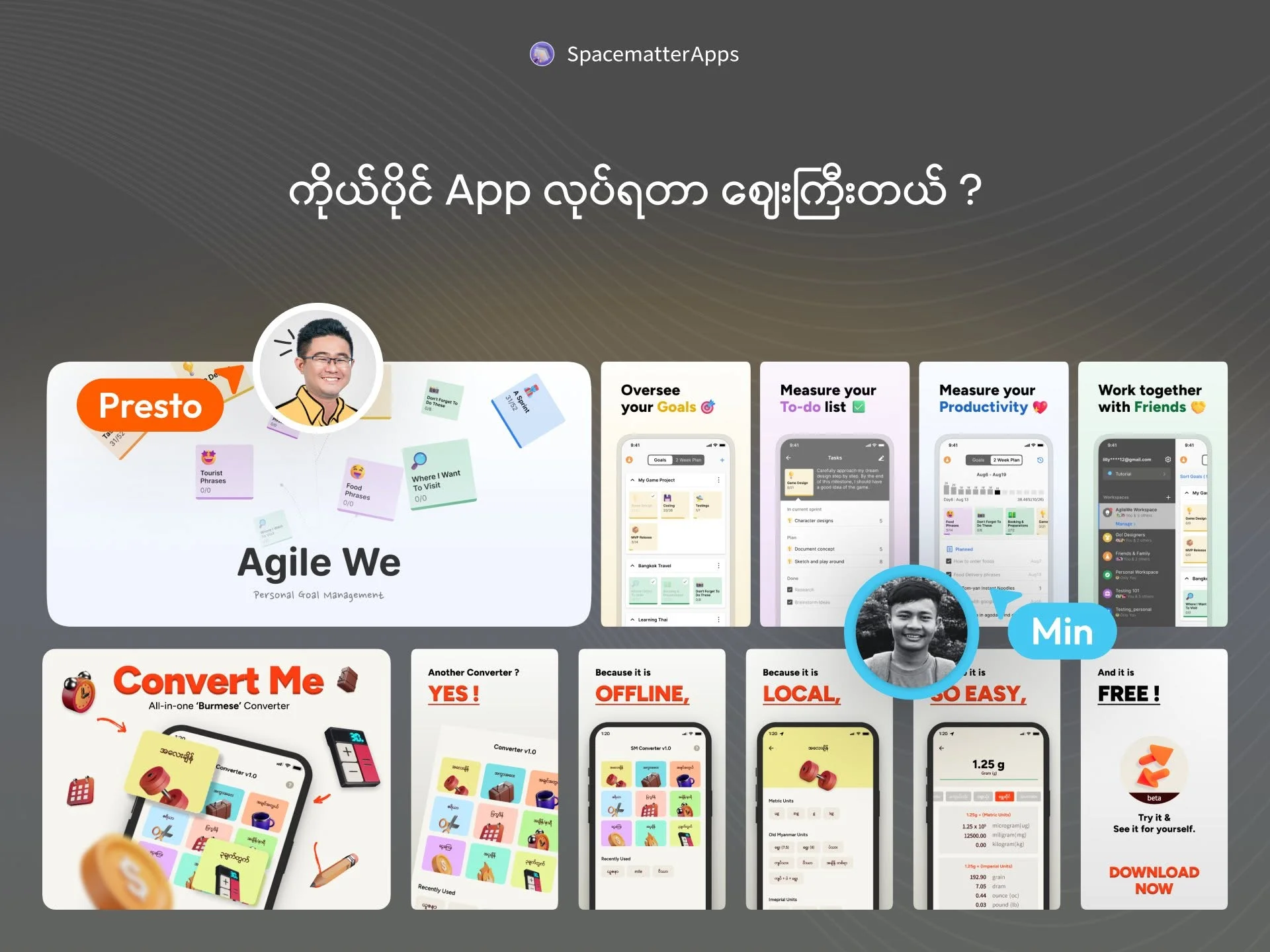
 Sep 15, 2026
Why Custom Apps Cost More Than People Expect
Understanding the real costs behind building software: team salaries, the challenge of building alone, and why an app is an ongoing commitment.
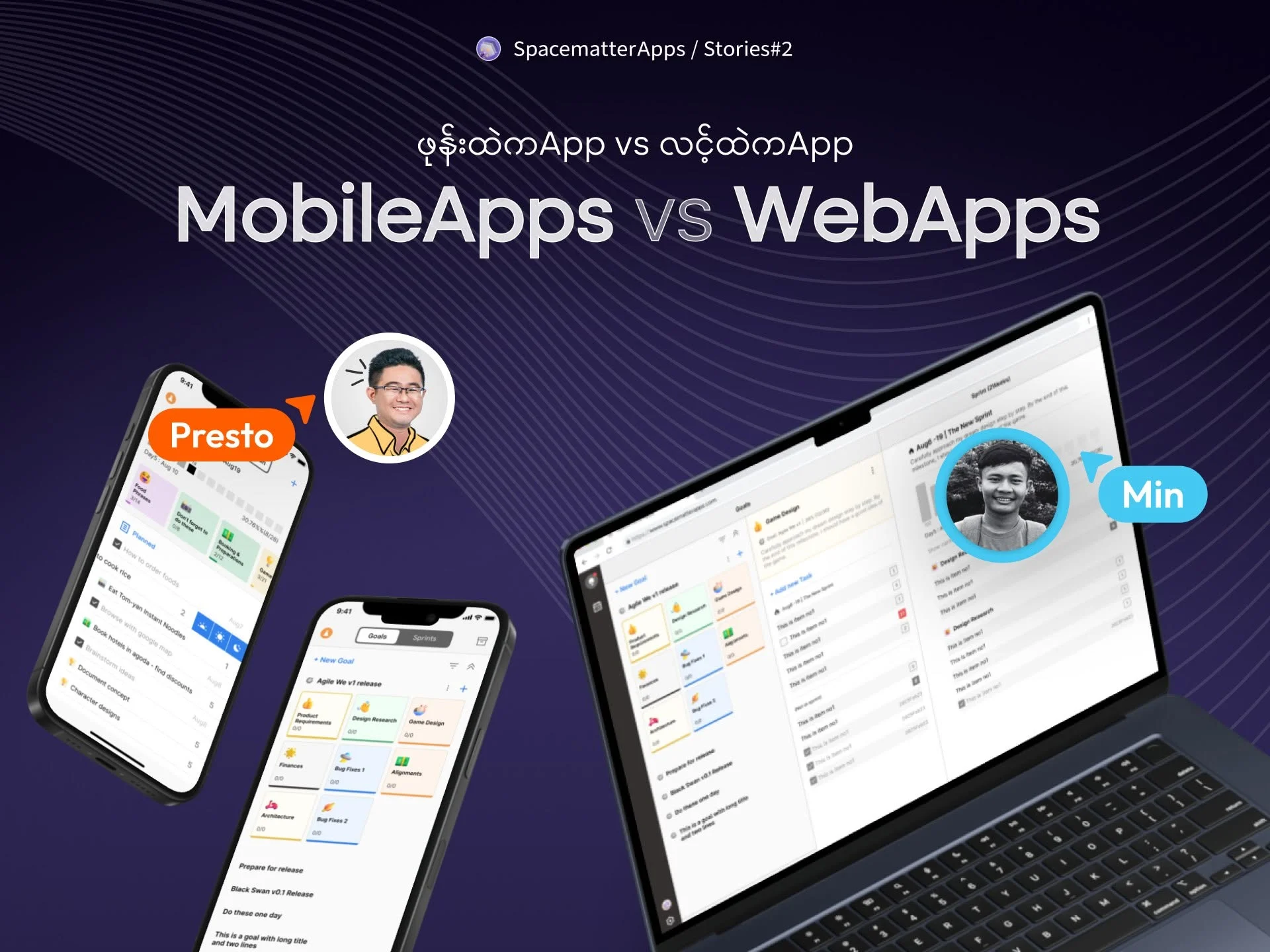 Sep 15, 2026
Mobile App vs. Web App: What Founders Need to Know
Understanding the real differences between an app you download from the store and an app that runs in your browser.
 Aug 15, 2025